Free
$0 Free
No time limit
Start for free- 5 active personal projects
- Sync across 3 devices
- 10 voice or text submissions per month
GTDist is a task planner built on David Allen’s method. The inbox, clarifying, contexts, the waiting list and the weekly review are already in place and work the way Allen described them. GTDist opens in the browser, and there are apps for Mac, Android and iPhone.
Sign-up is open: all you need is an email address, a password is optional. Everything is free during the beta. Apps: download for Mac, download for Android, for iPhone — via TestFlight.
A thought comes up: you jot it down and get back to work. Decide what to do with it later; it will wait in the Inbox.
Clarify shows your items one by one and asks what each one is. A two-minute task you do right away. Everything else goes to its list: actions, projects, delegated tasks, tasks for a specific day, Someday. You can put off the decision or send the item to the trash.
GTDist recognises a due date in what you write. It will not make up deadlines for you: the calendar should hold only what is really tied to a day.
From the keyboard you answer each item with a single digit, from 1 to 8.
Actions has a filter built on the questions from the book: what context you are in, how much time you have and how much energy. The fourth question, what matters most, is left to you.
A new account already has five contexts: Home, Work, Errands, Calls and Computer. You add your own right in Clarify when you need them.
The Weekly Review has eight screens. First you empty your head of everything that has piled up and clear the inbox. Then you look over the calendar, actions, projects and the waiting list. At the end you go through Someday and note down new ideas.
GTDist shows projects one at a time. A project without a next action stands out right away. You assign an action and move on.
Your lists live right on your phone and computer. On a plane or at the cottage you open and edit them as usual, and when the connection is back the changes reach your other devices on their own.
In Waiting, every item shows who owes you an answer and how many days have passed. The Today screen reminds you about anyone who has been silent for more than a week.
You can run a renovation together or a launch with the whole department. A delegated action appears in the other person’s Inbox and in your Waiting list. They need GTDist too.
The assistant can suggest where items from the Inbox should go or break a project into steps, but it shows you the list of changes first. Nothing changes until you press Apply. The assistant is off by default; you can turn it on in Settings.
Tell Claude or ChatGPT “add to my inbox” or ask what you can get done in twenty minutes at the office. You will find the connection in Settings, under External assistants.
The import brings over projects and tasks and turns labels into contexts. You can undo it with one button.
What you capture on your phone shows up on your computer too.
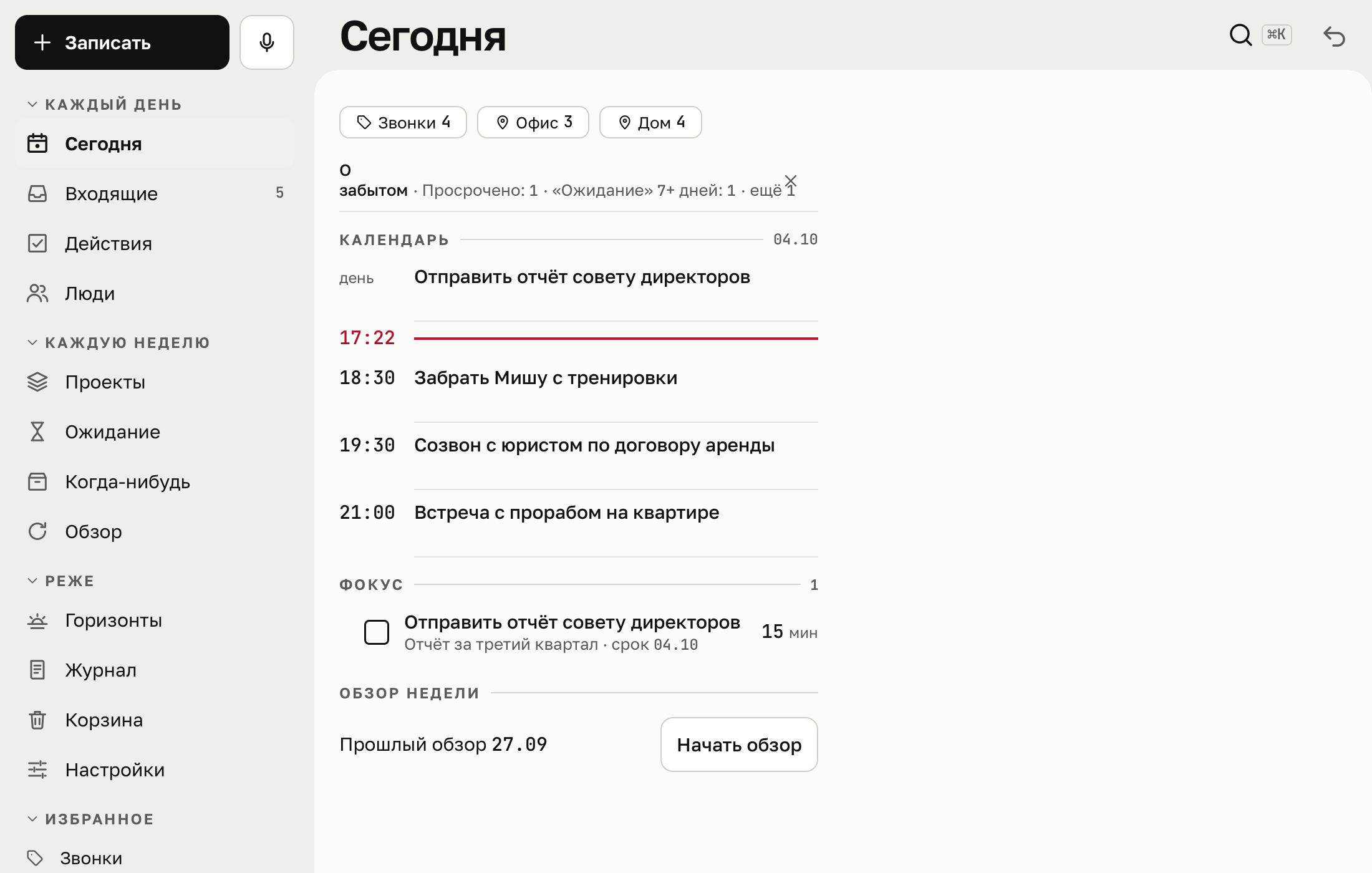
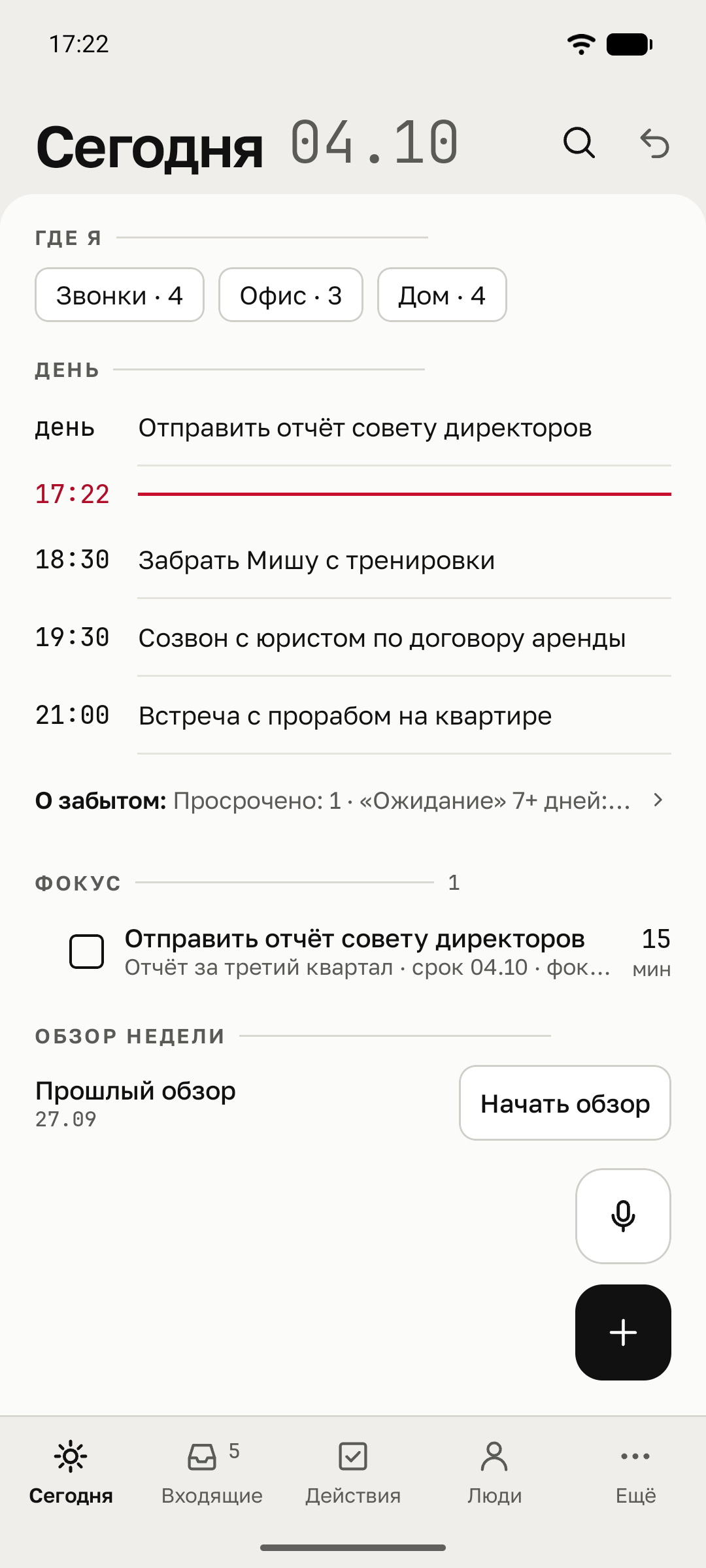
It opens like a regular website and works offline after the first sign-in. Almost everything can be done from the keyboard.
A separate window that does not get lost among browser tabs, and a capture window on a keyboard shortcut. The inbox count shows in the Dock and the menu bar, and reminders arrive even when the window is closed.
macOS 14 or later, Apple Silicon and Intel. Apple has not yet checked this build, so macOS will not open it on first launch. Go to System Settings, Privacy & Security, and click Open Anyway.
Dictation listens to several tasks in a row and saves each one as a separate item. You can put widgets on the home screen: for capturing, for dictation and with the list of actions available now. The filter in Actions sits at the bottom, under your thumb.
Android 10 or later. GTDist is not in the app stores yet, so you download an APK file. New versions appear here too.
The same screens as in the browser, plus Share from any app: a link or text goes straight to the Inbox. Reminders arrive as notifications, and the inbox count shows on the app icon.
iOS 17 or later. The app is not in the App Store yet. It is distributed through TestFlight, Apple’s programme for beta versions. Send us your Apple ID email and we will add you as a tester.
Your address reaches us in a single email. The invitation from Apple usually arrives within a day. Version 0.1.0.
Website prices. App store prices differ.
$0 Free
No time limit
Start for free$4.99 / month
$39.99 per year · save 33%
Plan details$9.99 / month
$89.99 per year · save 25%
Plan details$119.99 one-time
One payment for the licence
Plan detailsPro is free during the beta; paid purchases are not open yet. One submission means one voice recording or text sent for processing. The shared allowance resets monthly, including on annual plans.
Pro and Pro AI let you connect an external assistant, such as Claude. Its paid subscription is not included in GTDist. Classic is a permanent licence for the specified features; full cloud sync terms will be published before sales open.
Sign-up is open: enter your email, get a code by email and start. You can set a password later in Settings. Everything is free during the beta, and a new account already comes with five contexts and two areas.
Questions and suggestions: hello@gtdist.app